The beauty of a blank sheet of paper
Why starting from scratch let us build a CAD that was impossible to retrofit.

The 15th of July 2026
There is a particular joy in building the features you always dreamed of but could never reach. For years I used CAD the way everyone does — quietly maintaining a mental list of the things it should do, the small frictions I'd learned to accept, the "why can't it just…" moments that never had an answer. The features weren't hard to imagine. They were simply locked behind an architecture that would never allow them. Now, for the first time, that list isn't a wishlist — it's a backlog. Every item I once shrugged off as impossible is something we can just build.
The freedom of nothing
Most CAD software carries forty years of history in its bones. Every modern release is a negotiation with decisions made in the 1980s — a file format that predates the internet, a kernel that assumes a single user on a single machine, a UI grafted onto a UI grafted onto a mainframe. The incumbents aren't lazy; they're trapped. You cannot rethink the foundations of a building while ten thousand customers are living inside it.
We started with none of that. A blank sheet of paper. And it turns out a blank sheet is not a disadvantage to overcome — it is the single greatest advantage we have. When nothing is load-bearing yet, you get to ask the only question that matters: if we built this today, knowing everything we now know, what would it be?
Standing on 2026, not 1985
The reason a blank sheet is so powerful in 2026 specifically is that the ground underneath it has completely changed. The technologies we get to assume as a baseline simply did not exist when the incumbents laid their foundations:
- Real-time collaboration is a solved problem. CRDTs, operational transforms, and the infrastructure behind them are mature, battle-tested, and open. Google Docs made multiplayer editing an expectation, not a moonshot.
- The browser is a serious runtime. WebGL and WebGPU render complex 3D scenes at native speed. WebAssembly runs a geometry kernel in a tab. There is no longer a reason for CAD to be a heavyweight desktop install chained to one workstation.
- Text is the universal interface. Git, diffs, code review, and now language models all speak text. A model expressed as code inherits forty years of software tooling for free.
The incumbents can bolt pieces of this on — a web viewer here, a cloud sync there — but they can't make it native, because native means it goes in at the foundation. We got to pour the foundation yesterday.
What that unlocks: two examples
Abstractions are easy to claim. Let me show you two things that are only possible because we started clean — both of which the architecture of legacy CAD actively prevents.
One model, many hands
In legacy CAD, a part file is a single-owner artifact. One engineer checks it out, everyone else waits. Collaboration means a lock, a queue, and a lot of "can you close that so I can open it?" That constraint isn't a UI choice — it's baked into a file format and a kernel that were never designed for more than one person touching the geometry at a time.
Because our model is built on the same real-time foundations as a modern document, it is genuinely multiplayer. Multiple engineers work on one project, at the same time, seeing each other's cursors and changes live — the Google Docs experience, applied to geometry.
There is no checkout, no lock, no merge conflict at the end of the day. The model is the shared state. A design review stops being a scheduled meeting and becomes something you do continuously, together, inside the file.
A true dual-screen experience
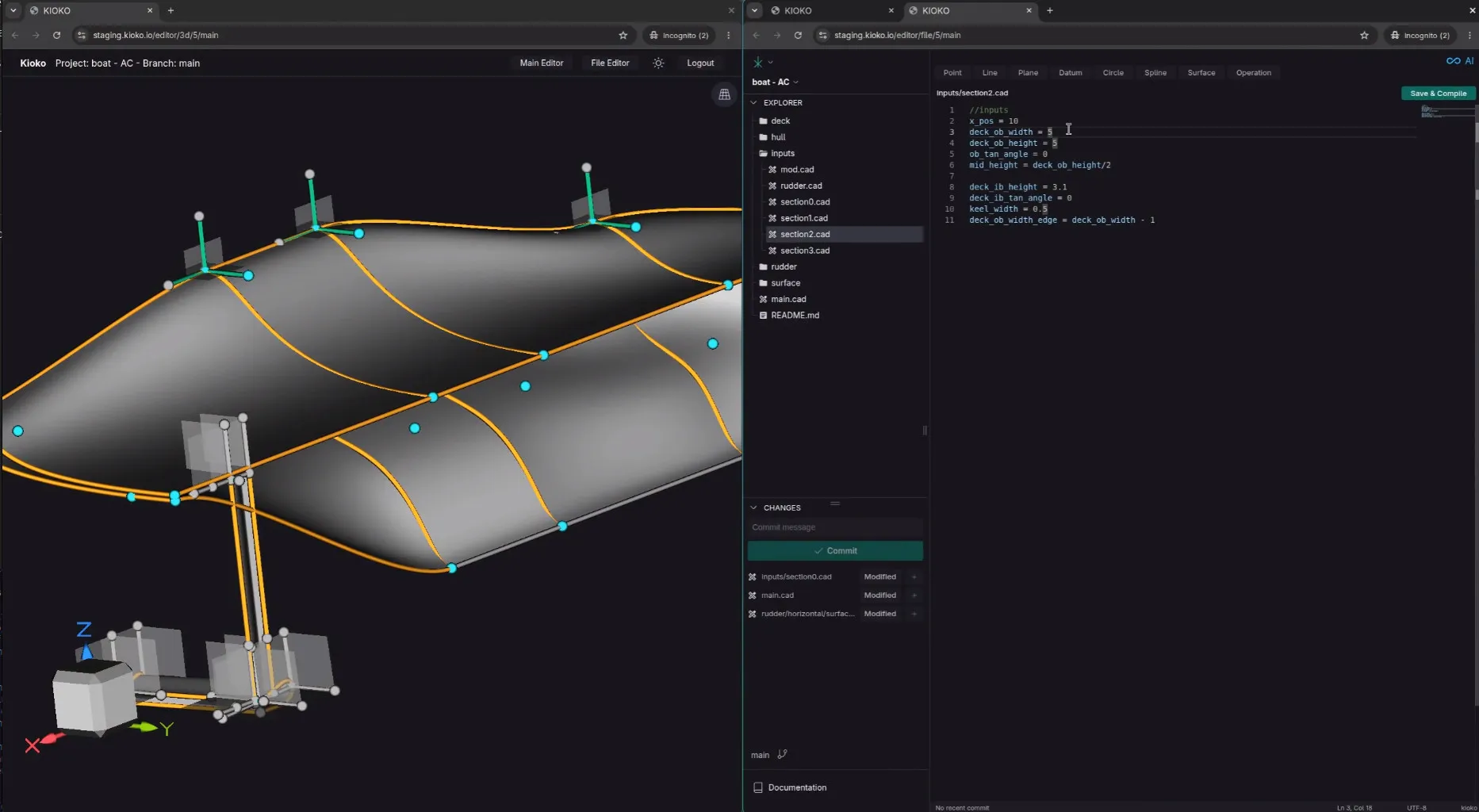
Here is a smaller thing that only a clean slate makes possible. Because the editor and the 3D render are just views in the browser, you can split them into separate tabs — and therefore across separate screens. Write your code on one monitor, watch the geometry update on the other. A real dual-screen workspace, with no special windowing mode, no docking framework, no "float this panel" gymnastics.
It sounds trivial until you realize why the incumbents can't do it: their editor and their viewport are the same process, welded into one window that assumes one screen. Ours are decoupled from birth. The 3D view is a subscriber to the model, and you can have as many subscribers, on as many screens, as you like.
The point isn't the features — it's the freedom
Multiplayer editing and tab-splitting are not the destination. They are symptoms — the visible evidence of an architecture that had the freedom to be right. Every one of these capabilities was cheap for us and near-impossible for a forty-year-old codebase, and that gap doesn't close. It widens with every feature we ship.
That is the beauty of the blank sheet. Not that it's empty — but that everything we draw on it gets to assume the world as it actually is today.
If you'd like to see what a CAD built from scratch feels like, write to us at contact@kioko.io.